About Animro
Animro is an AI motion studio. You describe a video and add your logo, screenshots, fonts or music. Animro plans the scenes, builds the animation and adds a voiceover, music, sound effects and captions. You approve the plan before anything is built and ask for changes in plain language.
Motion-design videos such as launch films, explainers, social ads and customer stories usually take a designer, an animator and several rounds of revisions. Animro does the planning, animation and sound, and leaves every decision with the person who wrote the brief.
Animro is our own product, not a client project. It runs at animro.com, where the waitlist is open.
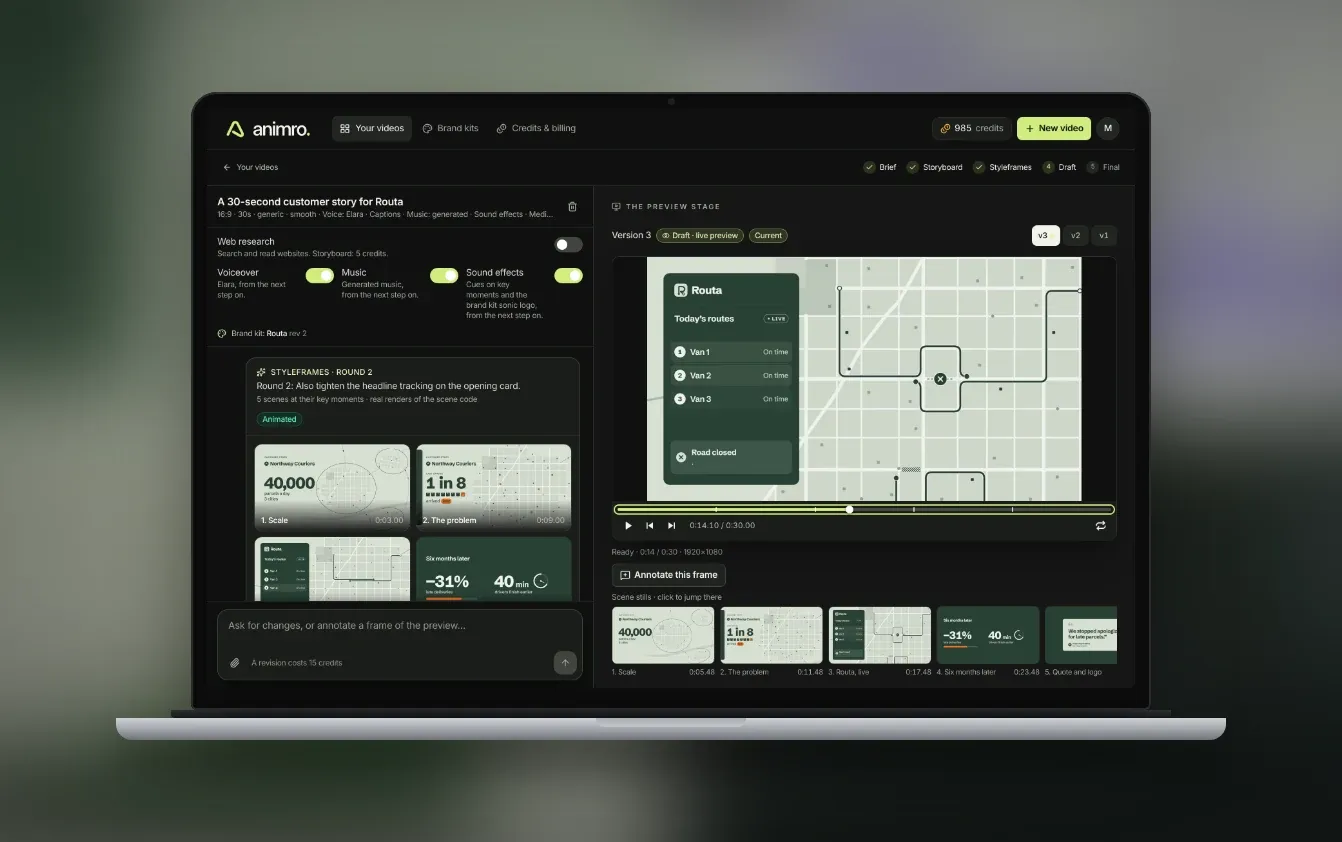
The screenshots below come from the working app. The brand in them, Routa and its customer Northway Couriers, is fictional, like the examples on animro.com.
What we built
- A web studio where every video is one conversation: brief, storyboard, styleframes, drafts and final render
- An AI motion designer that writes each video as code, renders its own frames and checks them before replying
- Our own video engine: a browser runtime, a renderer built on Playwright and FFmpeg, and a preview player, with no third-party video framework
- Voiceover, music and sound effects from ElevenLabs, with captions timed to the voiceover
- Brand kits for companies and agencies, imported from a website or a PDF brand guide
- Credits and billing with Stripe, a waitlist with email confirmation, and a content library for search
Brief: describe it like you would to a designer
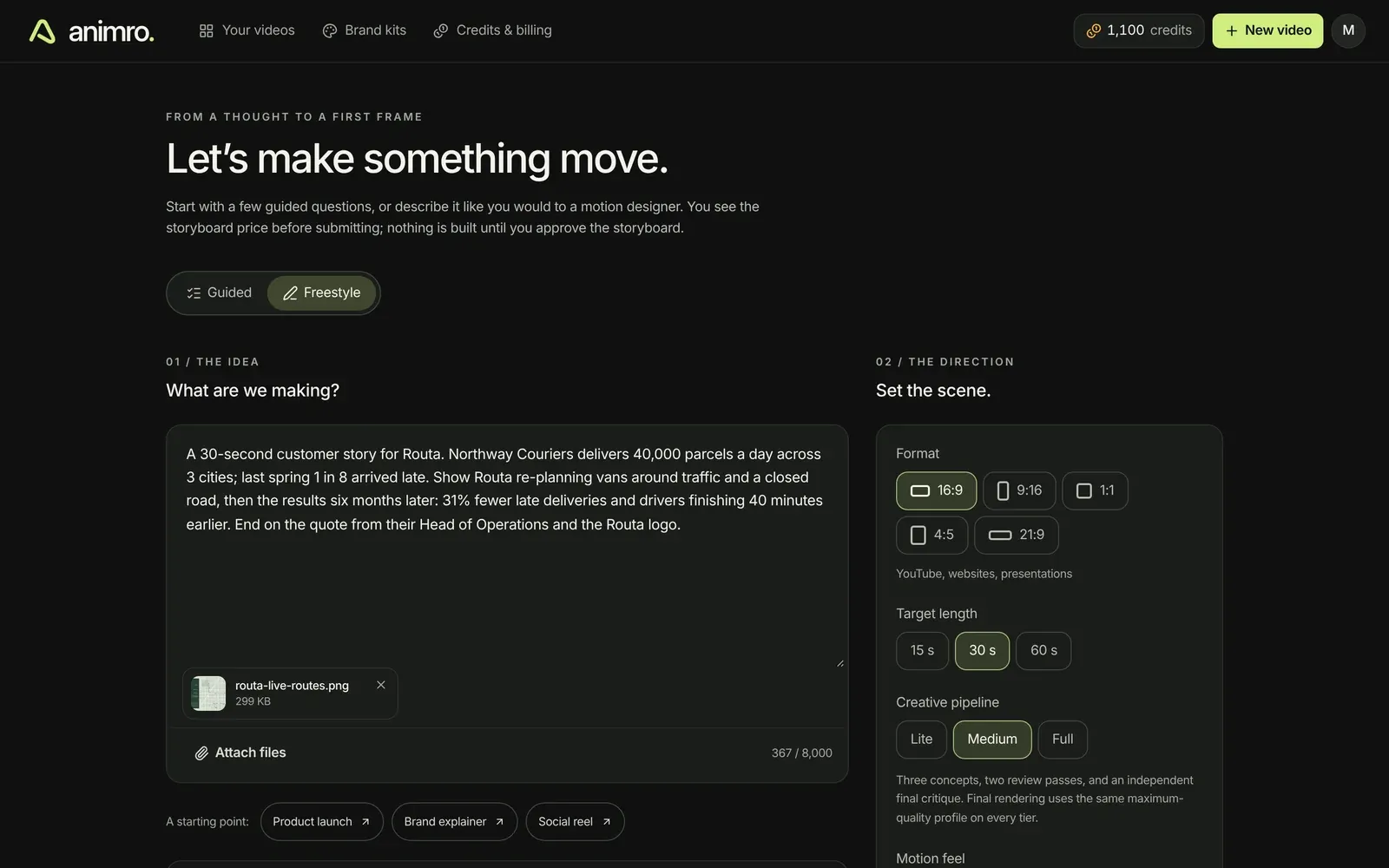
- Two ways to start: a free-text brief, or a guided wizard that asks questions with options and lets you answer “Let Animro decide”
- Drop in a deck as a PDF. Animro reads the pages and pre-fills the answers it can, with the page it found them on.
- Format (16:9, 9:16, 1:1, 4:5 or 21:9), length, voice, captions, music, sound effects and language are set on the same screen
- Three creative pipelines: Lite, Medium and Full. Higher tiers explore more concepts, run more review rounds and add independent critics.
- Optional web research: the agent reads the company’s website before it plans
Storyboard: approve the plan before anything is built
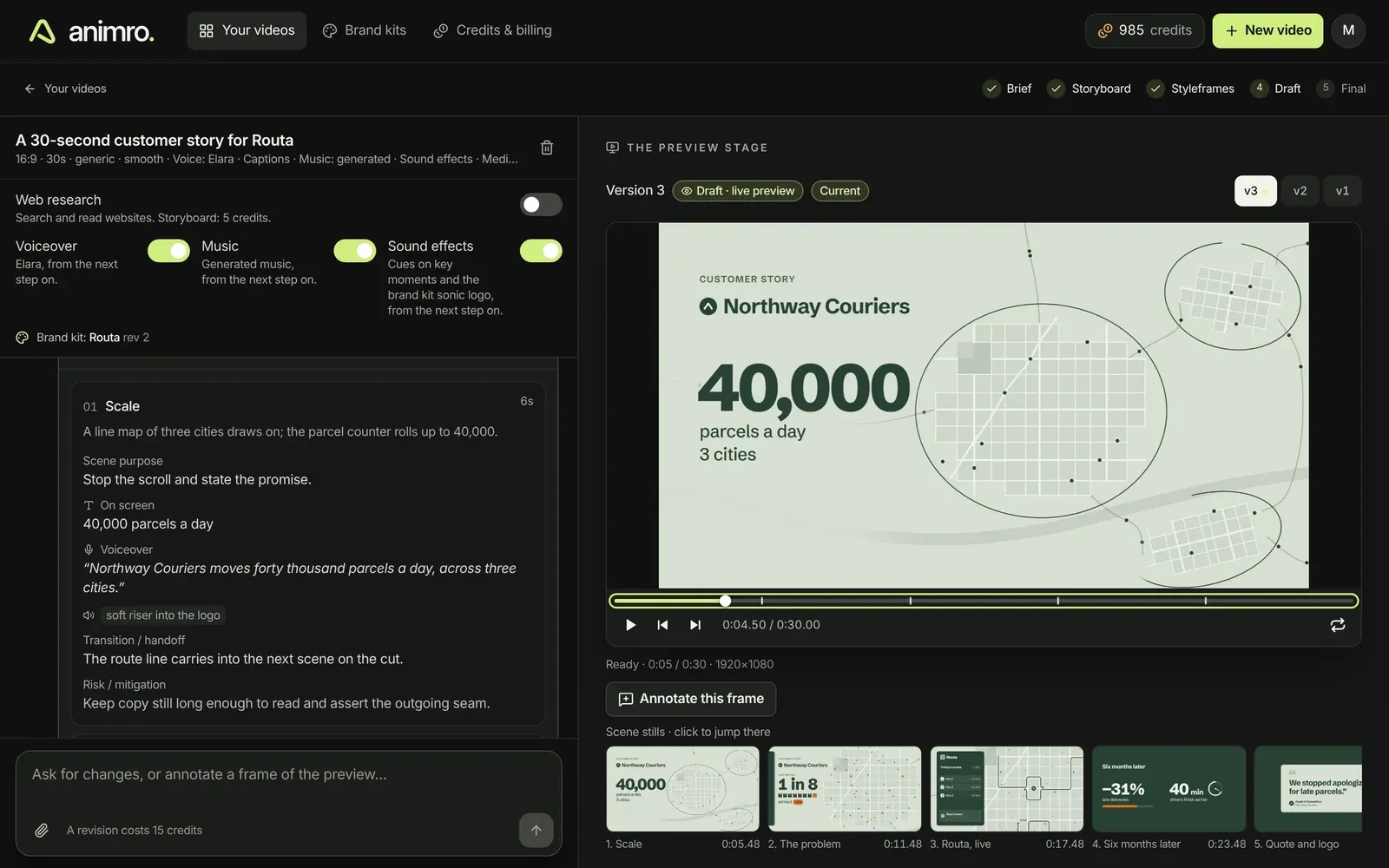
The first reply is a storyboard card. It shows the creative direction the agent chose, the hook, the ending, its taste rules, the colour palette and the music mood. Each scene lists its purpose, on-screen text, voiceover line, visuals, sound cues and how it hands over to the next scene.
You can edit the storyboard, ask for changes or approve it. The card shows the price of the build before you click, and the build is charged only when a draft is delivered.
Styleframes: check the look before anything moves
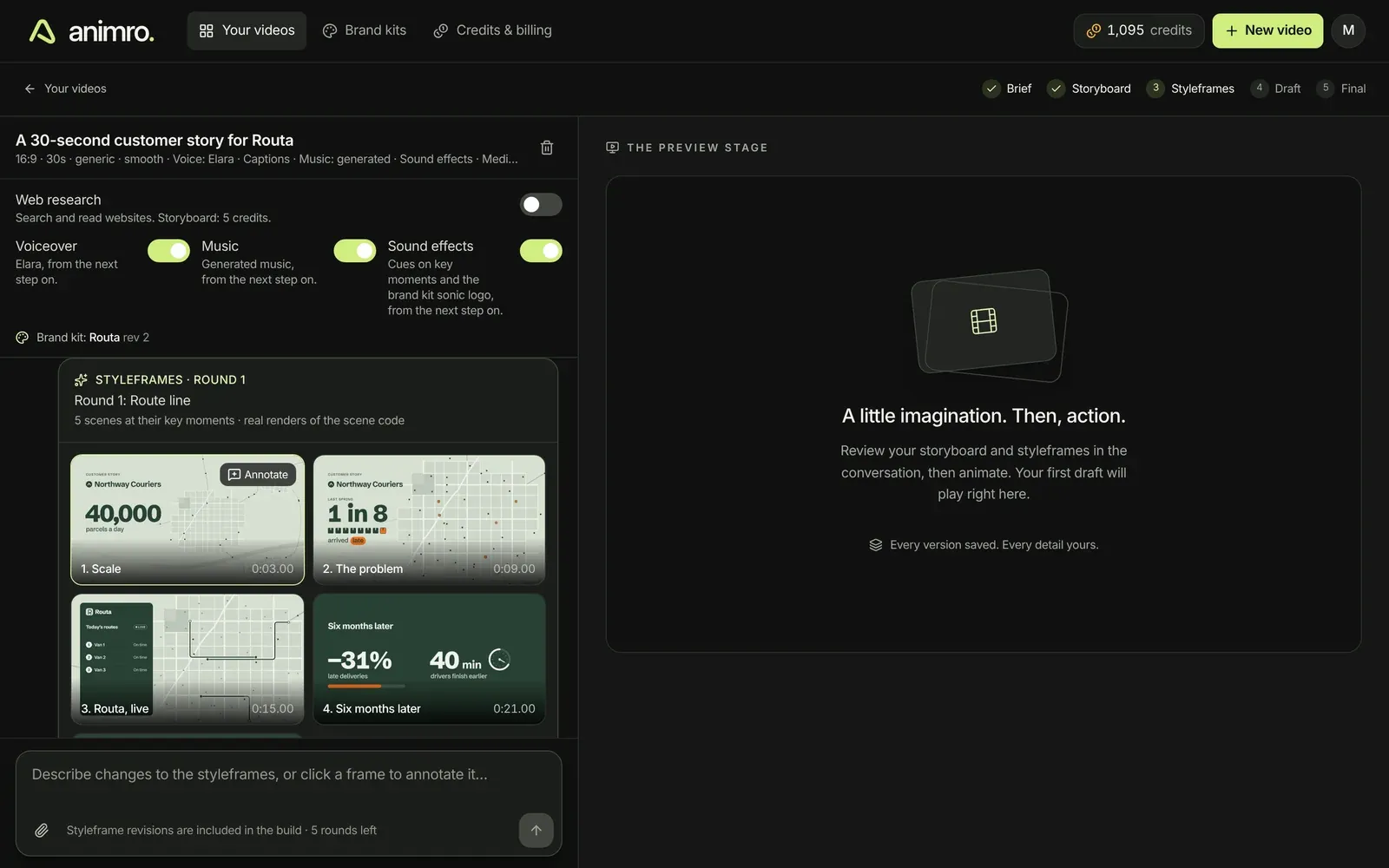
- One real still per scene, rendered from the scene’s code at its key moment, not a mock-up
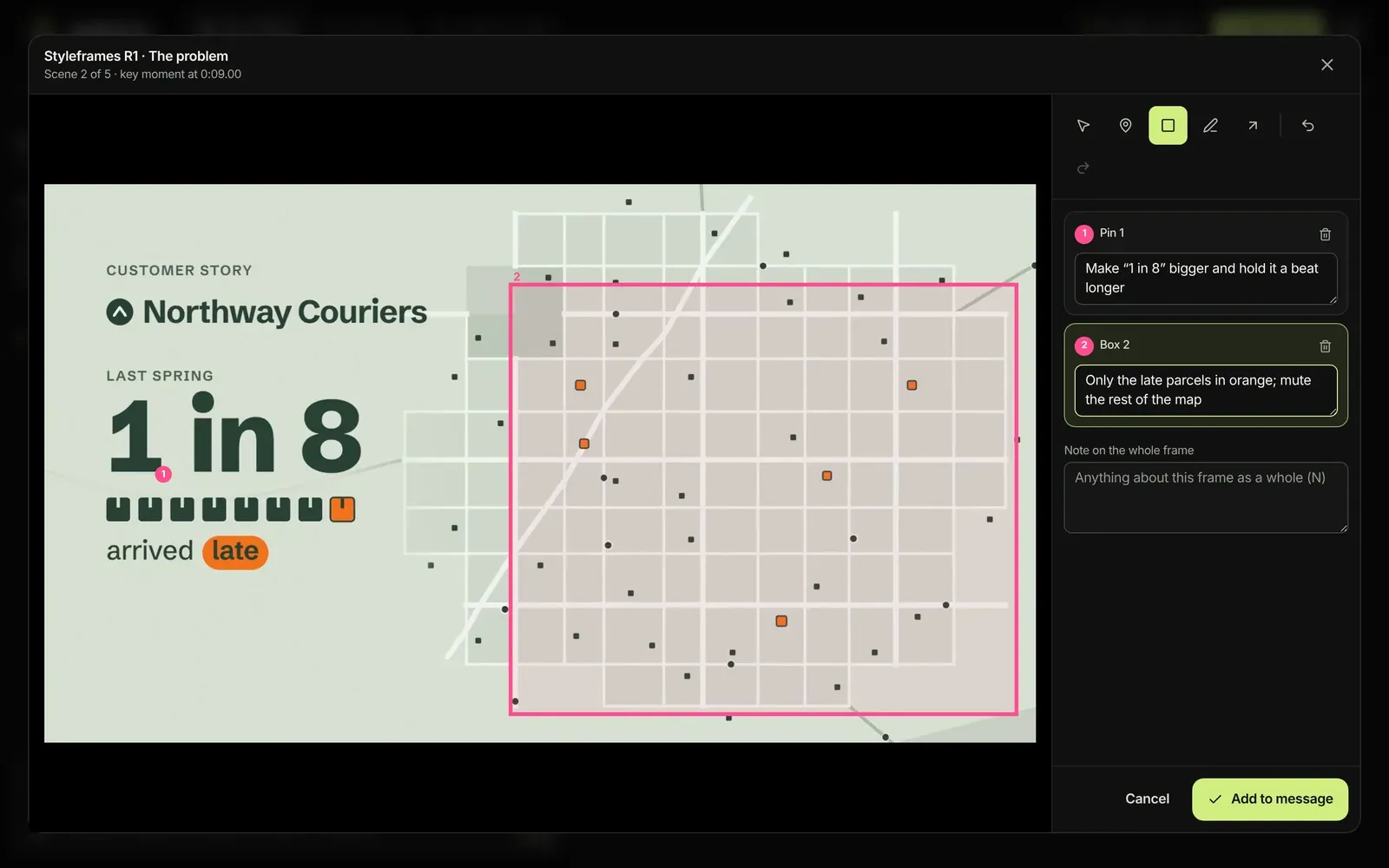
- Click any frame to mark it up with pins, boxes, a pen and arrows, each with its own comment
- The agent receives exactly which frame, scene, time and area a note refers to
- Up to six rounds per video, included in the build price
Drafts: watch, comment, revise
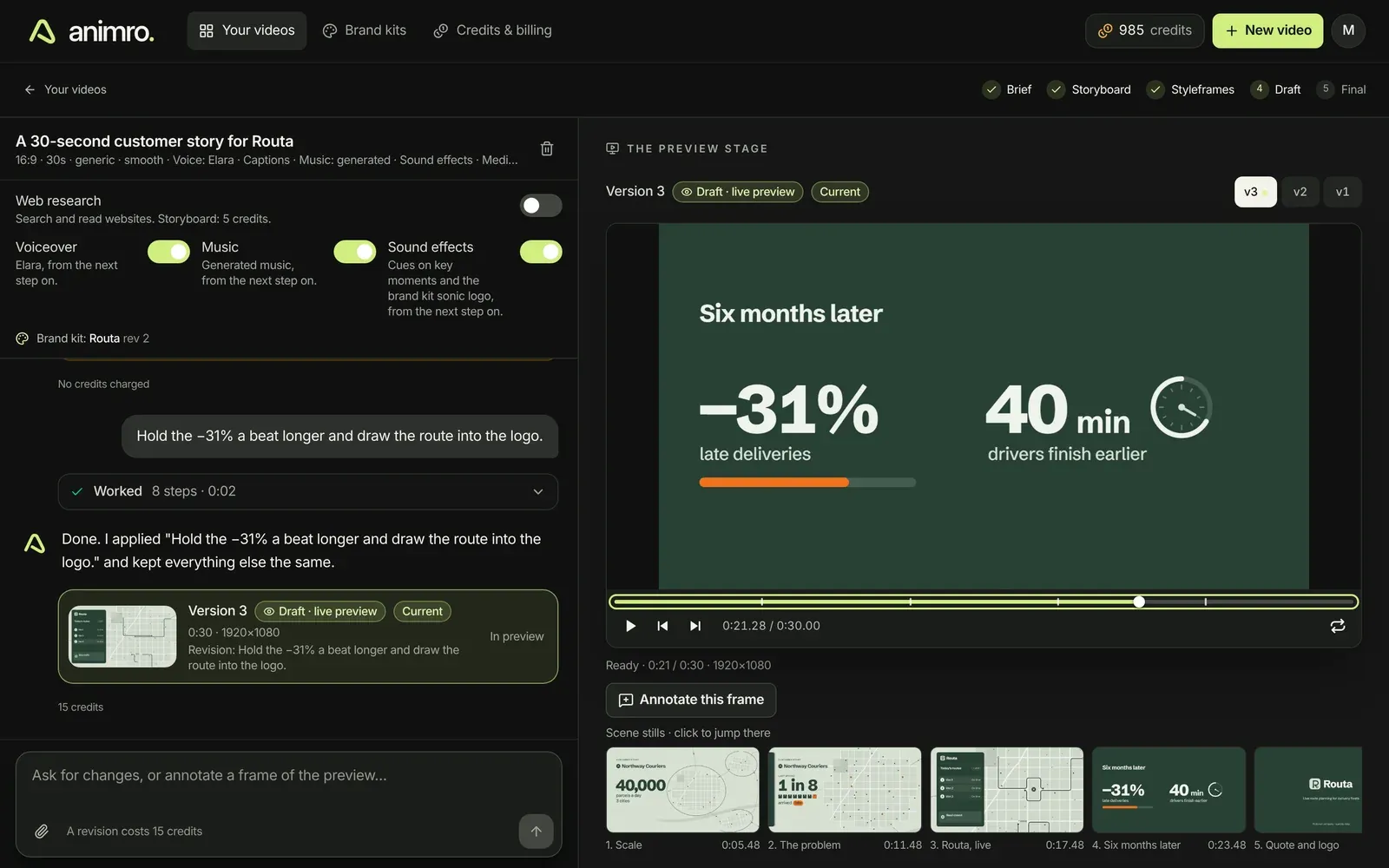
- Every build and revision publishes a draft that plays in the browser straight away, without waiting for a server render
- Scene stills under the player jump to each scene. Pause on any frame and annotate it.
- Every revision is a new version. Switch between v1, v2 and v3 or restore an older one.
- Ask for changes in plain language: “Hold the −31% a beat longer and draw the route into the logo.”
- Browser notifications tell you when a storyboard, draft or final video is ready, so you can close the tab while the agent works
Render final: studio quality with automatic checks
When a draft is right, Render final renders it again at studio quality and runs every check before you download it.
- Motion blur from several samples per frame and an H.264 master tagged for correct colour, plus a web version, a poster image and a captions file
- Automatic checks for text contrast, reading time, captions, flashing, sound-off viewing and audio loudness
- An independent review signs off the exact files. Without that signature, nothing is packaged.
- A failed final render costs nothing
- Rendering runs on NVIDIA L4 GPUs on Modal, with CPU sandboxes on Vercel as a fallback. A 15-second video at 60 fps (900 frames) renders with all checks in about 6 minutes on the GPU. On CPU, the same job hit the 15-minute limit.
Brand kits for teams and agencies
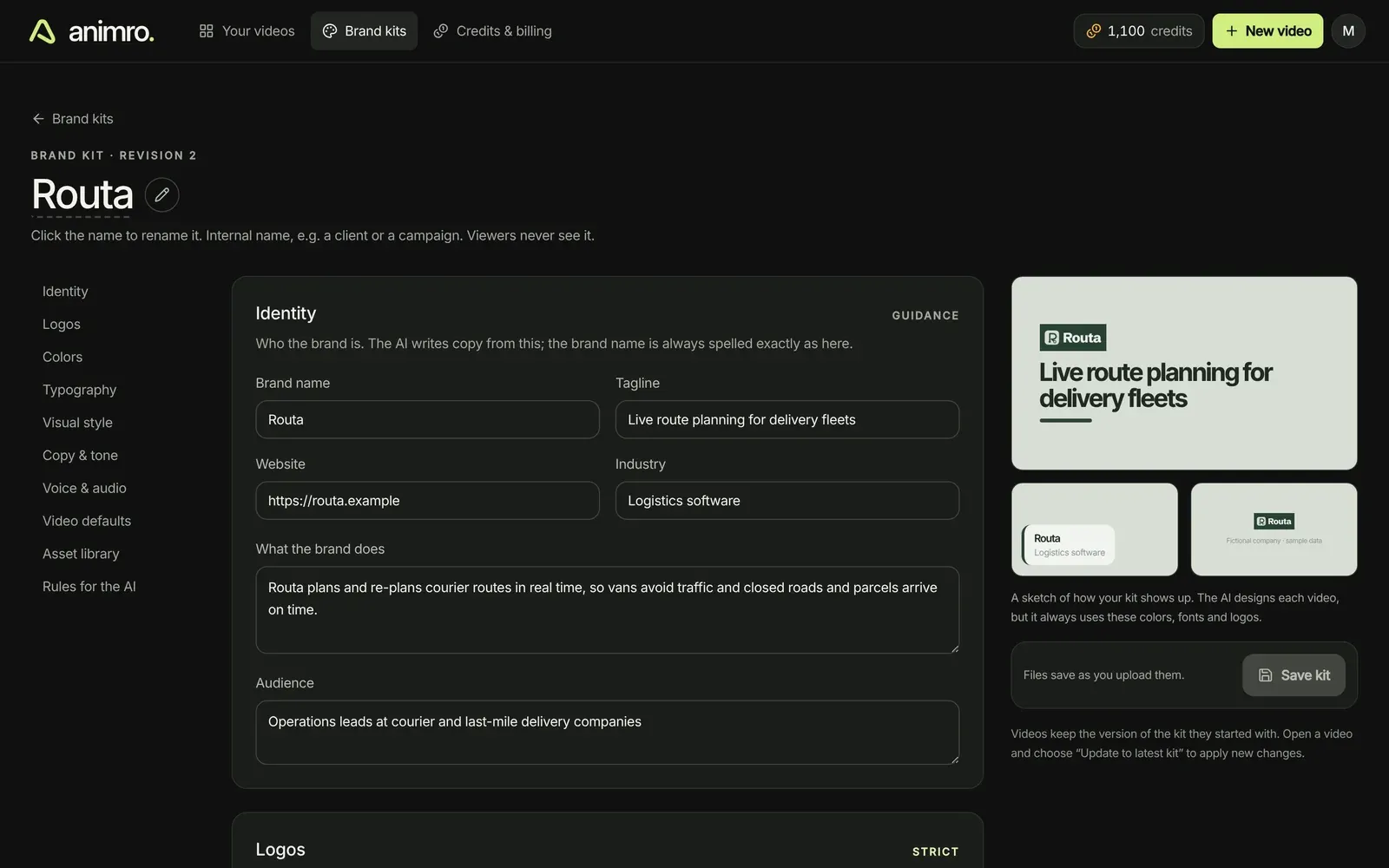
- One kit holds logos, colours, fonts, copy rules, voice, music, a sonic logo, pronunciations and default video settings
- Personal and team workspaces. An agency keeps one kit per client and invites colleagues.
- Create a kit from a website or a PDF brand guide. Animro extracts colours, fonts and logos and marks what still needs review.
- Kits are enforced, not just suggested: a video fails its check if colours or fonts drift from the kit, unless the user asked for the exception
- A pronunciation dictionary makes sure the voiceover says brand and product names correctly
- Each video keeps the kit version it started with. Editing a kit never changes a video in progress.
How it works
- The agent. Each chat gets its own isolated cloud sandbox on Claude Managed Agents, with Node, Chromium and FFmpeg. The agent writes the video, renders frames and looks at them itself.
- Skills. Nine production skills guide the agent: creative direction, motion design, Canvas and shaders, Three.js, audio, brand assets, scene production, the runtime and quality control.
- The video is code. Scenes are drawn with Canvas2D, WebGL and Three.js, and every frame is calculated from its timestamp. The draft in the browser and the final render therefore match frame for frame.
- Self-review. Before it replies, the agent checks types, timing and determinism, renders contact sheets of its own work and fixes what it finds.
- Credits. A ledger reserves credits for each step and charges only when the step delivers. Stopped steps cost a small share and failed ones nothing.
Tech stack
Next.js 16 with React 19 and Tailwind on Vercel, Supabase (authentication and Postgres with row-level security), Drizzle, Cloudflare R2, Claude Managed Agents, ElevenLabs, Playwright, FFmpeg, Three.js, Modal, Vercel Sandbox, Stripe with Stripe Tax, Resend and Cloudflare Turnstile.
Timeline
We wrote the product plan on 26 September 2026. The first version was deployed the next day, and animro.com went live on 29 September. Along the way we designed the brand (five logo concepts, one chosen), the landing page with twelve example videos and a one-minute launch film, and the waitlist.
Today the codebase is a web app plus 11 packages, about 130,000 lines of TypeScript including tests, and an end-to-end test that runs the whole loop: sign-in, brief, storyboard, styleframes, draft, final render and MP4 download.