
One record from first contact to alumni
Profile, documents, cohort, tasks and history follow the student through every stage, so nobody re-enters data when an applicant becomes a student.
One student record
Keep student records, attendance, tasks and communication in one place
A student’s application sits in one tool, attendance in a spreadsheet and messages in three inboxes, so a simple question about one person takes half an hour to answer. We build student management systems and EdTech products where one record follows each student from application onwards. Tasks create themselves from milestones, and staff, students and parents each see what they need. AI helps with quizzes, summaries and routine questions, while staff stay in charge of decisions about students.
Profile, documents, cohort, tasks and history follow the student through every stage, so nobody re-enters data when an applicant becomes a student.
One student record
When a form is submitted, an event is attended or a status changes, the next task appears and finished ones tick themselves off. Coordinators chase exceptions, not checklists.
Milestone tasks
Staff run the program in an admin portal, students use a mobile app, and parents or mentors see only what concerns them.
Staff, students, parents
Cohorts, phases, evaluations and reports follow your program, not a school timetable template.
Your program’s structure
Education programs run on deadlines: applications, registrations, forms and exams. This is how one milestone runs once the system is in place.
From the projects we’ve built in this area.
1 record
Emerge Scholars ran separate older systems for recruitment, student success and alumni. We replaced them with one platform where three apps share one record per student, from the first application to alumni records. Reporting gets much simpler once the data lives in one place.
6 weeks
The Easy Meet teacher-feedback MVP shipped in six weeks and was refined from there. A first version that does one thing well for one group of users teaches you more than a full platform planned on paper.
Records about children and young people are sensitive. Decide early who sees what (teachers, mentors, parents), how long you keep data after a student leaves and where it is hosted. In the EU that means GDPR, with extra care for children’s data; in the US, FERPA may apply.
AI is good at drafting quiz questions from lesson notes (we built that for Acredipath), summarising feedback and answering routine questions. Grading, admissions and evaluating students are different. The EU AI Act treats AI used for these as high-risk, and families expect a person to decide.
Schools with a standard timetable and grading are usually best served by an established school information system. Programs that don’t look like a school, such as scholarships, mentoring, bootcamps or homeschooling, often don’t fit one.
| Spreadsheets and forms | School information system | Custom platform | |
|---|---|---|---|
| Student records and attendance | Partly | Yes | Yes |
| Fits programs that aren’t a school timetable | Partly | Partly | Yes |
| Apps for students and parents | No | Yes | Yes |
| Tasks created from milestones | No | Partly | Yes |
| Your own product to sell | No | No | Yes |
| Cost to start | None | Fee per student or school | One-off build price |
| Ready to use | Today | Weeks | 6 weeks to 3 months |
What we’ve built for clients in this field.
Student and admin platform · USA
The problem
The organization needed one system for program management, student tasks, attendance and communication.
What we built
What changed: Staff and students handle tasks, attendance and communication in one platform that replaced several older systems.
Homeschool MVP · USA
The problem
The product needed lesson planning, quizzes and AI learning support in a usable MVP.
What we built
What changed: An education MVP with lesson planning, quizzes and AI-generated quiz questions, ready to test with users.
Teacher feedback MVP · Europe
The problem
The team needed a platform for structured teacher feedback and the program coordination around it.
What we built
What changed: An MVP shipped in six weeks and refined from there.
A typical timeline. We confirm yours after the project workshop.
Week 1
Project workshopWe follow one student’s path through your program with the coordinators, list the systems you use and agree a fixed price.
Weeks 2–3
Student record and importsThe shared student record and roles come first, with data imported from your spreadsheets or older systems.
Weeks 4–7
Staff portal and first appThe admin portal and the student or parent app for one stage, such as admissions or onboarding, with a demo every week.
Launch
Pilot with one cohortOne group uses it for real. You own the code, repositories and accounts, and we fix bugs for free for 3 months.
Then
More stages and featuresEvents, messaging, reports and AI features, added in 2-week stages. With Emerge, this has meant new features, migrations and staff training over several phases.
Systems we’ve built that are close to this one.
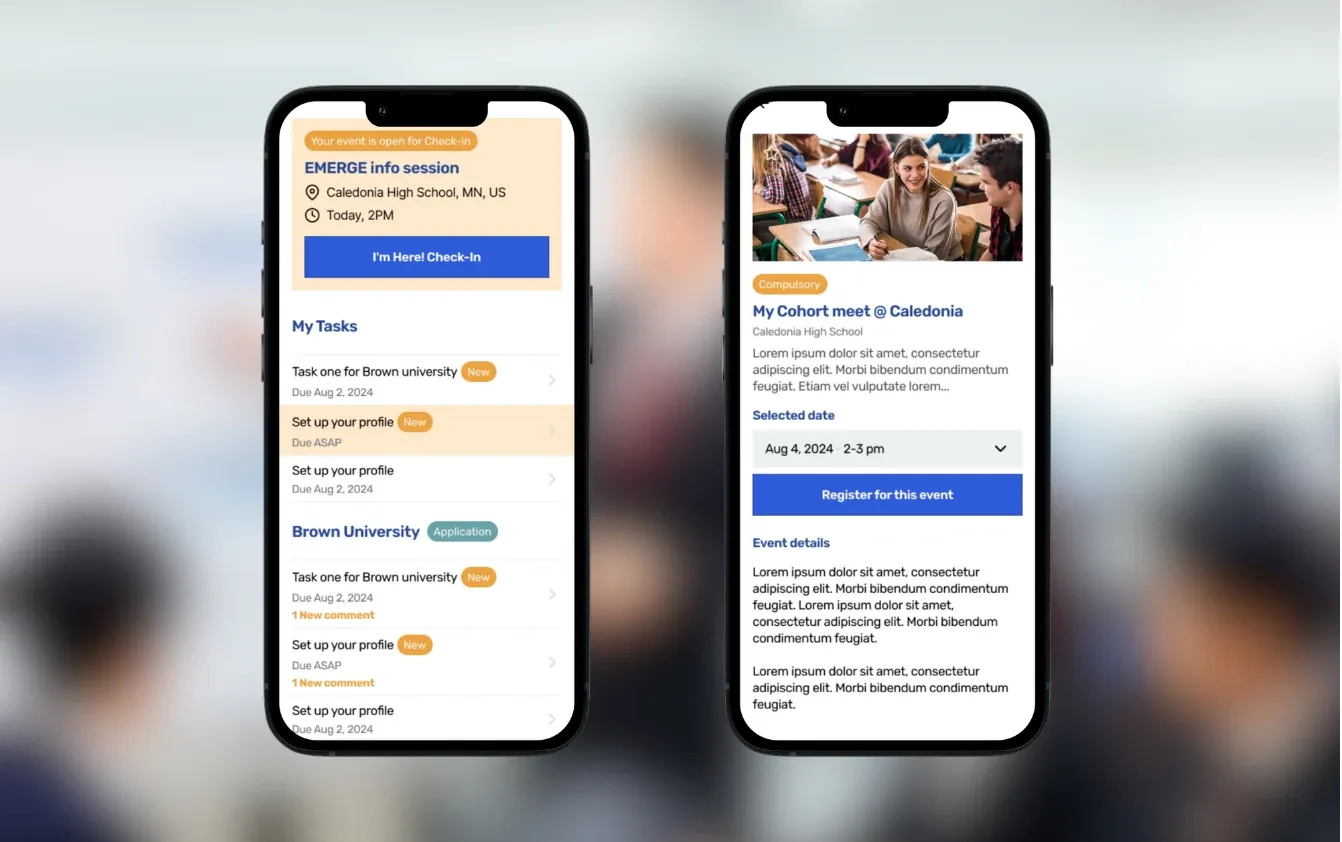
College-access platform for recruitment, scholar success, and alumni tracking
Read the case study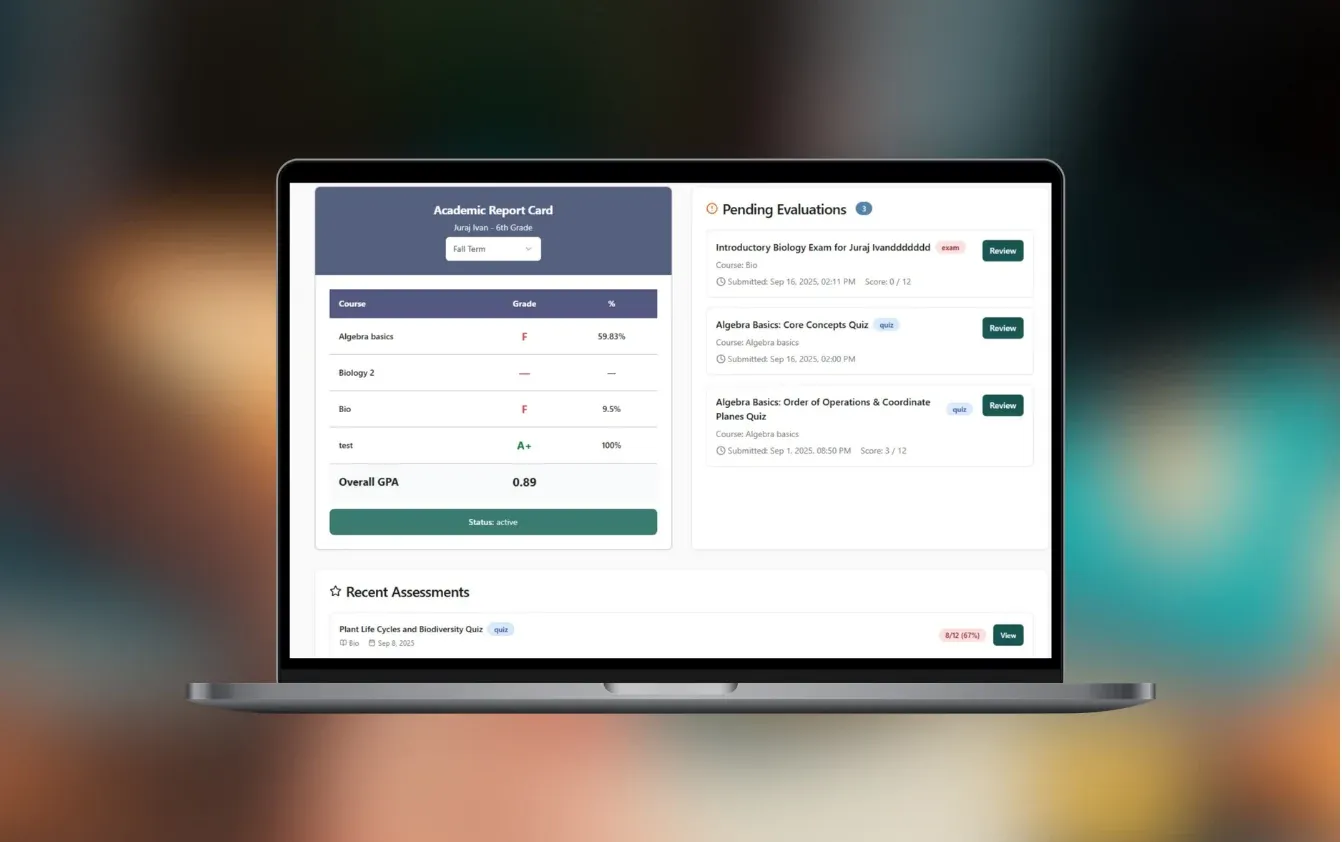
Platform for home-schooled kids and their parents in the US
Read the case study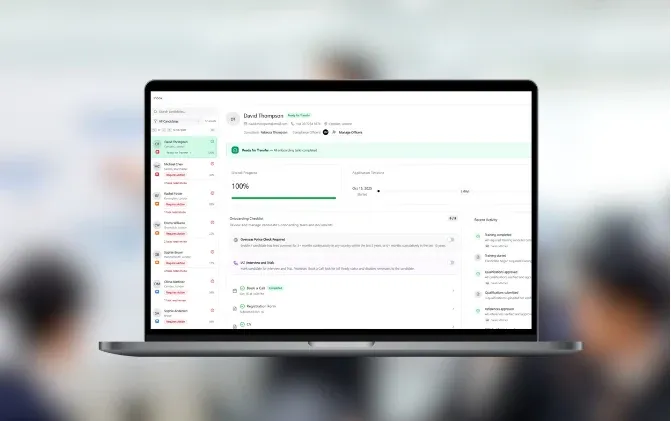
Platform for recruitment agencies in education
Read the case studyYes, with a caveat. Nonprofits and EdTech startups with their own program or product are the best fit. A school with standard classes and grading is usually better off with an established school information system, and we’ll tell you so.
One process, such as applications or attendance connected to one or two tools, usually costs €5–10k. A platform with an admin portal, a student app and reports is typically €10–30k. Replacing several older systems, with data migration, starts at €30k. We fix the price after the project workshop.
Our past projects reached a first version in 6 weeks to 3 months; the Easy Meet MVP shipped in six weeks. We plan the launch around your calendar, so nobody switches systems in the middle of a term.
Yes. For Emerge we replaced separate older systems with one platform and migrated the data, so each student’s history stays in one record. We import from spreadsheets, CSV exports or the old system’s database.
Each role sees only what it needs, so a mentor sees their students and a parent sees their own child. We log access to sensitive records, agree retention rules and host data in the EU when required. Your data protection officer or lawyer confirms the rules (GDPR, or FERPA in the US); we build them in.
Yes, for drafting quiz questions, summarising feedback, suggesting curriculum ideas to parents or answering routine questions. Acredipath’s MVP generates quizzes from its curriculum and lesson notes. A teacher or staff member stays responsible for grades, admissions and anything that decides a student’s path.
Usually, yes. Emerge’s platform connects to Typeform for applications, Zoom and RingCentral for call and SMS logs, Microsoft email, mobile push notifications and the National Student Clearinghouse for degree checks. We check your tools’ APIs in the first week.
You do. The code, repositories, accounts and data belong to you. We fix bugs for free for 3 months after launch; after that you can choose monthly support or your own developers. Some clients, like Emerge, keep working with us on new features and staff training.
Walk us through one student’s path, from application to the end of the program. In 30 minutes we’ll tell you what a first version should cover and roughly what it would cost.

JurajCEO, QikBuild
You leave the call with
Or write to hello@qikbuild.com