Skip to content

AI tools for data analysis and reporting

Ask questions about your data in plain language and see where each number comes from

A simple question like “which region sold most in May?” often means a ticket to the analyst or an afternoon in five dashboards. We build AI tools that turn plain-language questions into queries on your own database, warehouse or APIs. The answer comes with numbers, a chart and the query behind them. Recurring reports are written and sent on schedule. The model decides what to look up; the numbers come from your data, not from its memory.

  • Plain-language questions, answered from live data
  • The query and source behind every answer
  • Access rules per person, team and dataset
  • Recurring reports written and sent on schedule

Does this sound familiar?

The situations where teams usually call us.

  1. Managers wait days for an analyst to answer questions that take five minutes to look up.

  2. Your data sits in the CRM, the ERP, a warehouse and a few spreadsheets, and nobody outside IT can put it together.

  3. You have dashboards, but every meeting ends with a question none of them answers.

  4. The monthly report takes someone two days of copying numbers, and no two versions match.

  5. Your customers want to explore the data in your product, not just look at fixed charts.

What happens when someone asks a question.

The model never guesses a number. It writes a query, your database answers it, and the model explains the result.

  1. Someone asks a question In the chat, inside your own tool or in Slack
  2. The model plans a query Using your glossary and the table descriptions
  3. Permissions are checked Read-only, and only data this person may see
  4. Your database answers The query runs on live data in your systems
  5. The answer is written up Numbers, a chart and a short explanation
  6. The query is shown and logged Anyone can check how the number was found
When a question can’t be matched to your data, the tool says so and asks, instead of inventing a figure.

What we’ve learned.

From the projects we’ve built in this area.

  • Agree what your words mean first.

    Most wrong answers aren’t AI mistakes. They come from three definitions of “revenue” or “active customer” living in different reports. A short glossary that the model reads with every question fixes more errors than a better model does.
  • 1 source

    Start with one source and real questions.

    Connecting everything at once makes it hard to tell why an answer is wrong. One well-described source, plus a list of questions your team really asks with answers they trust, gives you a test you can rerun after every change.

  • AI won’t clean your data.

    Duplicate customers and missing dates stay duplicated and missing. The tool only makes them easier to spot. When two systems disagree, the first weeks often go into deciding which one is right, and every later report benefits.

  • Dashboards don’t go away.

    Numbers you check every day belong on a fixed dashboard: fast, cheap and identical each time. The chat is for the questions nobody built a chart for, and those questions show you which new charts are worth building.

What we can build.

  • Asking questions

    • A chat that turns questions into database queries (SQL)
    • Answers as numbers, tables and charts, with the query shown
    • Follow-up questions that keep the context (“and last year?”)
    • Saved questions anyone can rerun with one click
  • Data connections

    • Databases such as PostgreSQL, MySQL or SQL Server
    • Warehouses such as BigQuery, Snowflake or Redshift
    • CRM, ERP and accounting systems through their APIs
    • Spreadsheets and CSV exports for data outside your systems
  • Accuracy and control

    • Read-only access and permissions per person and dataset
    • A glossary of your terms and metrics that the model follows
    • Test questions with known answers, rerun after every change
    • A log of every question, query and answer
  • Reports and products

    • Weekly and monthly reports written and emailed on schedule
    • Alerts when a number moves outside its usual range
    • Analysis features inside your own product, for your customers
    • Self-hosted models when data can’t leave your servers

Dashboards, a general AI chat or an AI analyst on your data?

All three answer questions about data. They differ in which questions they can answer and how far you can trust the result.

BI dashboards (Power BI, Looker)AI chat with uploaded filesAI analyst on your systems
New questions without an analyst No Yes Yes
Works on live data Yes No Yes
Shows how each number was calculated Yes Partly Yes
Respects who may see what Yes No Yes
Same answer to the same question Yes Partly Partly
Time to first use Weeks Minutes Weeks
For the numbers you check daily, a dashboard is hard to beat. The connected analyst earns its place on the questions nobody built a chart for.

How the first version comes together.

A typical timeline. We confirm yours after the project workshop.

  1. Week 1

    Collect the real questions

    In the project workshop we list the questions your team asks, find where the answers live and agree what each metric means.

  2. Weeks 2–4

    Connect and describe the data

    Read-only access to the first sources, table descriptions, the glossary and permissions. You try it in a demo every week.

  3. Weeks 5–6

    Test against known answers

    We run the question list until the numbers match what your analysts expect, then open the tool to a small group.

  4. Then

    Widen and automate

    More sources, scheduled reports and alerts, chosen by the questions people actually ask.

Our first versions take 6 weeks to 3 months. A tool on one or two well-kept sources sits at the shorter end.

Case studies.

Systems we’ve built that are close to this one.

  • Shovels.ai

    Construction Intelligence · Lafayette, CA

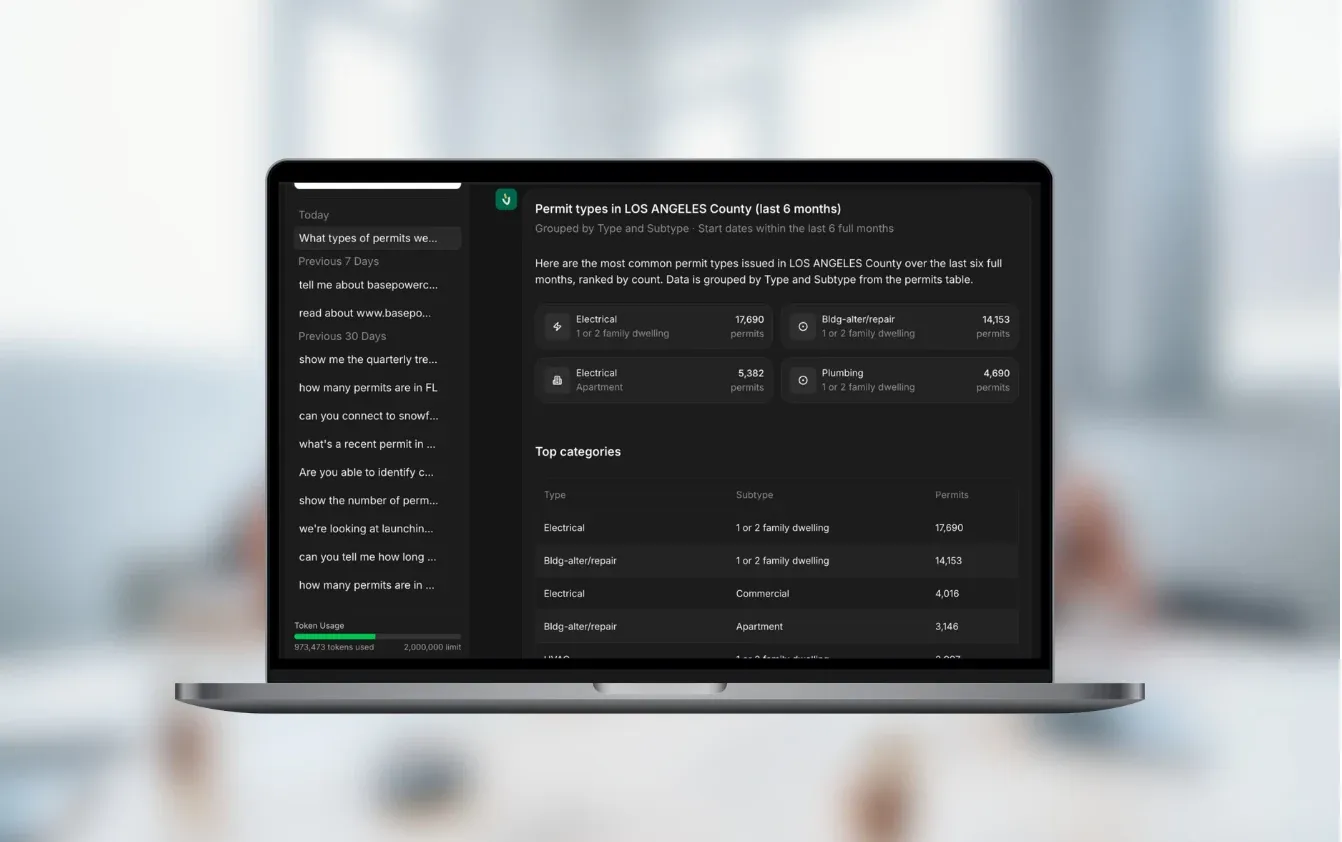
    Charlie: Ask questions about construction data

    An AI assistant that answers questions about building permits and contractors using current database records.

    Read the case study
  • Datair

    Data analytics · Bratislava, Slovakia

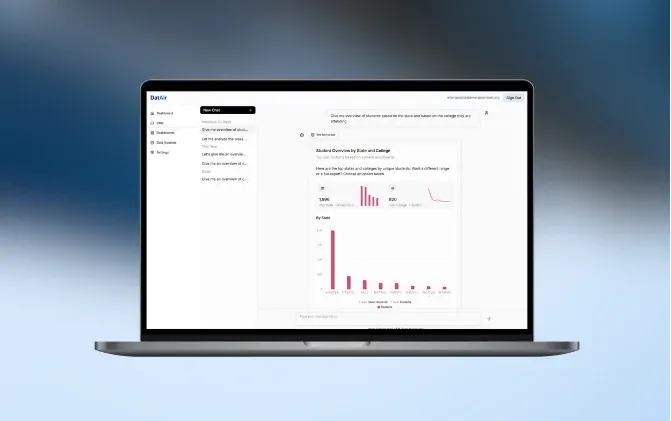
    AI data analyst

    Datair uses AI to help people analyze data and create reports without technical knowledge.

    Read the case study

Questions people ask.

Will the AI make up numbers?

We design it so it can’t do that quietly. The model writes a query, your database returns the figures, and every answer shows the query and its source. If a question can’t be matched to your data, the tool says so instead of guessing.

Do we need a data warehouse or a data team first?

No. We can start on a read-only copy of your main database, a few APIs or well-kept spreadsheets. A warehouse helps once you combine many sources or large volumes, and we’ll tell you if you’ve reached that point.

Which systems can it connect to?

Databases such as PostgreSQL, MySQL or SQL Server, warehouses such as BigQuery or Snowflake, and CRM, ERP or accounting tools through their APIs. Where a system has no API, a scheduled export usually does the job.

Who can see which data?

The tool has read-only access and follows the permissions you set: a sales rep sees their own accounts, a regional manager sees the region. Every question and query is logged, so you can check who asked what.

Does our data go to OpenAI or other AI providers?

Only what the model needs to write the query and explain the result, usually table descriptions and the rows in the answer. We use providers with EU hosting that don’t train on your data. When data must stay in-house, we run open-weight models such as Llama, Mistral or Qwen on your own servers.

Can we offer this to our own customers?

Yes. Charlie, the assistant we built for Shovels, answers their customers’ questions about building permits from live database records. Datair, our own SaaS project, builds dashboards from plain-language requests. Customer-facing tools need stricter limits, so each customer sees only their own data and the cost per question fits your pricing.

What does it cost?

A narrow tool on one source can fit our €5–10k range for a single process. Most analyst tools with several sources, permissions and reports fall in the €10–30k range. Running costs are model usage per question plus hosting, and we estimate them from your expected volume before the build.

How long does it take?

Our first versions take 6 weeks to 3 months. A tool on one or two sources with clear questions sits at the shorter end. Many sources with conflicting definitions take longer.

What does your team keep asking the analyst?

Send us ten questions your team asks every month and tell us where the data lives. We’ll tell you which ones a tool can answer reliably and what a first version would cost.

JurajCEO, QikBuild

You leave the call with

  • What we would build first
  • A rough price range
  • Whether custom software makes sense for you
Book a 30-minute call

Or write to hello@qikbuild.com
