Skip to content

Applicant tracking systems and recruitment software

Manage candidates from application to their first day in one system

Recruiters lose hours copying candidate details between job boards, spreadsheets and email, and chasing documents that should have arrived last week. We build recruitment systems around your own stages and checks. Applications come in from job boards and your website, documents and identity checks are tracked per candidate, and contracts go out for e-signature. AI helps with the paperwork, such as reading CVs into fields, while people make the hiring decisions.

  • Candidates, documents and stage history in one record
  • Missing documents and expiring checks flagged on time
  • Job boards, ID checks and e-signature connected
  • AI reads the CVs, people make the decisions

Does this sound familiar?

The situations where teams usually call us.

  1. Hiring still runs through spreadsheets, shared folders and a dozen browser tabs.

  2. Your ATS has no place for the fields, checks or steps your team actually uses, so they live in a side spreadsheet.

  3. Recruiters spend more time chasing passports, permits and signed contracts than talking to candidates.

  4. Candidates from job boards are retyped by hand, and duplicates slip through.

  5. Placements, contracts and payroll details sit in different systems that never quite agree.

From application to the first day.

The system does the chasing and the checking, so recruiters can spend their time on conversations.

  1. An application arrives From a job board, your career page or a bulk import
  2. The CV is read into fields Contact details, experience and languages, ready to check
  3. A recruiter shortlists Interviews and hiring decisions stay with people
  4. Required documents checked Per role and country, with expiry dates and reminders
  5. The contract goes out Generated from your template and sent for e-signature
  6. Ready to start Placement, payroll details and onboarding tasks created
The AI step is optional. Most of the time saved usually comes from steps four and five, which are plain rules and templates.

What we’ve learned.

From the projects we’ve built in this area.

  • 01

    Automate the paperwork, not the judgment.

    Reading CVs into fields, chasing missing documents and drafting emails are safe to automate. Ranking or rejecting candidates automatically is different. GDPR gives candidates rights against decisions made only by software, and the EU AI Act treats AI used in hiring as high-risk. We keep the decision with a recruiter.

  • 02

    Your process is the product.

    Off-the-shelf ATS tools are built around a standard pipeline. An agency placing workers from outside the EU, or one checking teachers’ documents, needs fields and checks no standard tool has. List those first, because they decide whether you need custom software at all.

  • 03

    Migration is where projects slip.

    Years of candidate records sit in old systems and spreadsheets, full of duplicates and gaps. Plan the import early, decide what to clean and what to archive, and test it on real data before the switch. It is rarely the exciting part, but it decides how launch day goes.

  • 04

    Expiry dates beat dashboards.

    When a work permit or medical check lapses unnoticed, the cost is far higher than any report can save. A reminder before each document expires is a simple rule, and it is often the first thing worth building.

What we can build.

  • Candidate pipeline

    • Your own stages, fields and candidate types
    • Import from job boards, your career page and email
    • Duplicate detection and a history of changes per record
    • Bulk email and SMS from templates
  • Documents and checks

    • Document checklists per role or country, with expiry dates
    • Identity and right-to-work checks through services such as Sumsub or TrustID
    • Contracts generated from templates and sent for e-signature
    • Candidate self-service for uploads and missing details
  • After the hire

    • Placements with client, role, location and pay
    • Contract extensions, terminations and absences
    • Exports for payroll and official forms
    • Onboarding tasks assigned to the right people
  • Reporting and AI

    • Recruiter and branch dashboards for pipeline, time to start and turnover
    • Scheduled reports by email and Excel exports
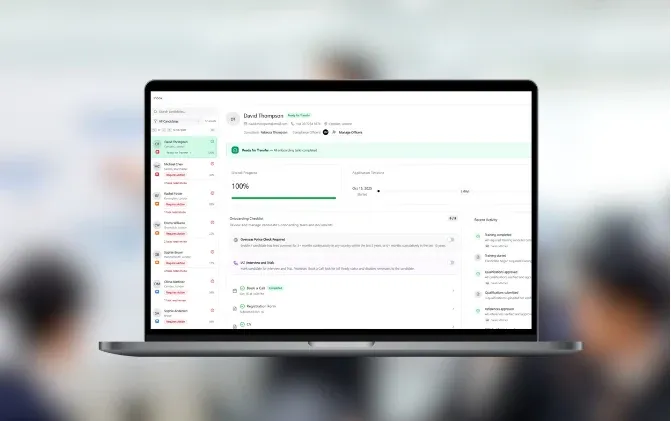
    • CV parsing into structured fields, checked by a recruiter
    • Drafts of job ads and candidate emails in your tone

Spreadsheets, an off-the-shelf ATS or a custom system?

A standard ATS is the right answer for many teams. This is where each option stands.

Spreadsheets and emailOff-the-shelf ATSCustom recruitment system
Ready to use today Yes Yes No
Your own stages and fields Yes Partly Yes
Document checks with expiry reminders No Partly Yes
Contracts, placements and payroll No Partly Yes
Posting to many job boards No Yes Partly
Cost None Monthly fee per user Fixed project price
If a standard ATS fits your process, buy it. A custom system pays off when the checks, documents and contracts around hiring are the part no product handles.

How the first version comes together.

A typical timeline. We confirm yours after the project workshop.

  1. Week 1

    Map the hiring process

    In the project workshop we follow one candidate from application to first day with your recruiters and list every field, check and document.

  2. Weeks 2–5

    Build the core

    Candidate records, stages, document checklists and the first integrations, built in 2-week stages with a demo every week.

  3. Weeks 6–8

    Import and pilot

    Existing candidates imported and cleaned, and one team or branch working in the new system.

  4. Then

    Contracts, payroll and reports

    E-signature, payroll exports, scheduled reports and AI help with CVs, added in the order that saves the most time.

Our first versions take 6 weeks to 3 months. After launch most recruitment systems keep growing in stages, as new checks and clients come in.

Case studies.

Systems we’ve built that are close to this one.

  • PLB

    Education, Recruitment · London, UK

    Recruitment management platform

    Platform for recruitment agencies in education

    Read the case study
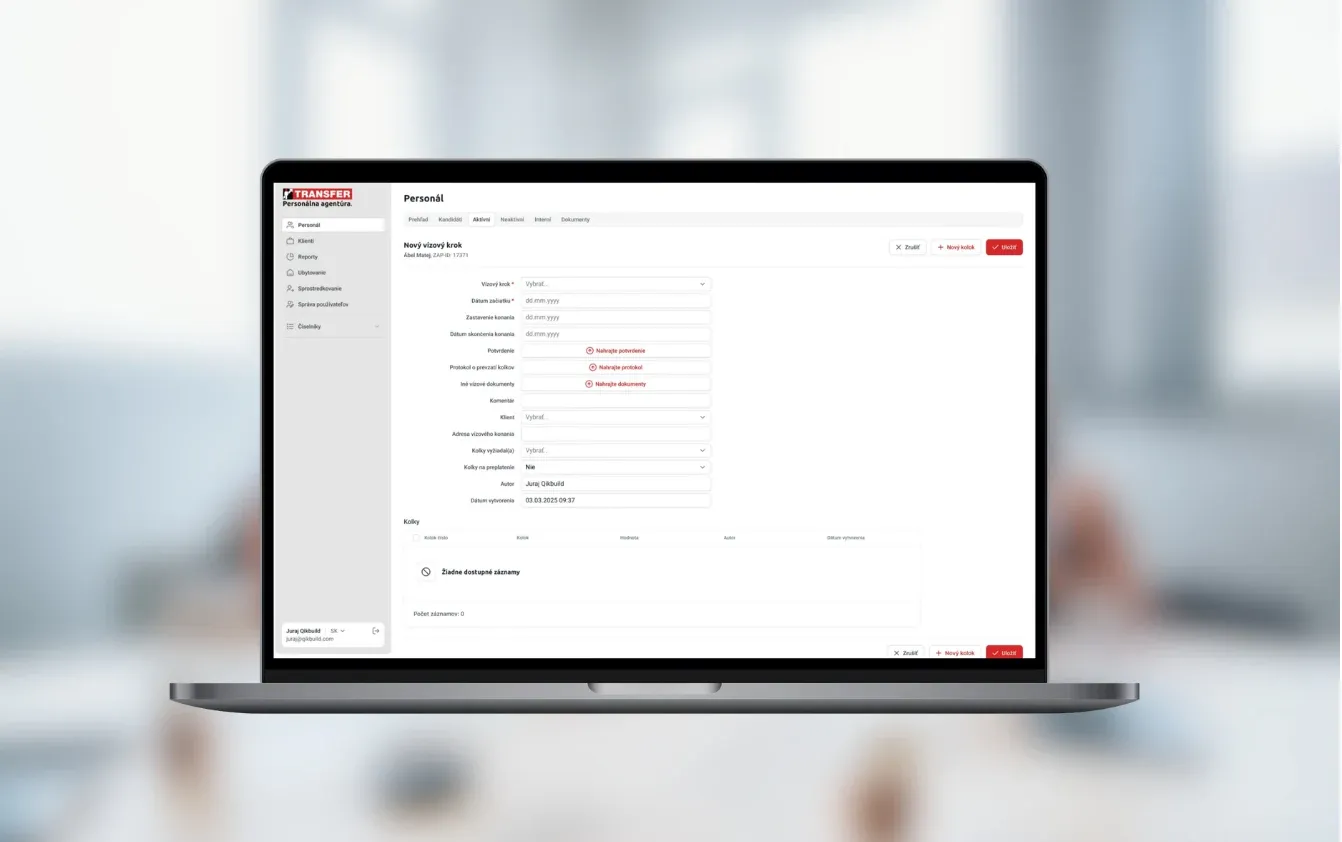
  • Transfer International

    HR & Recruitment · Slovakia

    Candidate and employee management

    Workforce platform for temporary staffing, recruitment, compliance checks, and payroll administration

    Read the case study

Questions people ask.

Why not just buy an ATS?

If a standard ATS fits your process, you should. Custom software makes sense when the work around hiring is the hard part, such as compliance documents, work permits, contracts, placements and payroll details. You can also keep a job board tool for posting and use the custom system for everything after the application.

Can it check identity and right-to-work documents?

Yes, through specialist services such as Sumsub or TrustID, which we have connected on past projects. The result of each check and the documents are stored on the candidate record, with expiry dates and reminders.

Can you connect it to the tools we already use?

Yes. Job boards and candidate sources, e-signature, email and SMS providers, payroll and accounting, and company registers for client details. If a tool has no API, we use file imports or scheduled exports.

Do you use AI to screen candidates?

We use AI for the paperwork, such as reading CVs into fields, summarising interview notes and drafting job ads. We don’t build automatic rejection. The EU AI Act treats screening and ranking candidates with AI as high-risk, and GDPR protects people from purely automated decisions, so a recruiter makes the call.

How do you handle candidate data under GDPR?

We set retention periods per type of data, consent for talent pools, access by role and branch, and an audit trail of who changed what. Candidates can be exported or deleted on request. Hosting stays in the EU when you need it.

Can we move our existing candidates over?

Yes. We import from your old ATS, spreadsheets or exports, merge duplicates and map old statuses to new stages. We test the import on real data before the switch, so nothing goes missing on launch day.

What does it cost and how long does it take?

A system for one team with a few integrations usually falls in our €10–30k range. Platforms with payroll, many integrations and several branches go above €30k. First versions take 6 weeks to 3 months, and the price is fixed after the project workshop, before the build starts.

Who owns the system?

You do. At launch you get the code, the repositories and the accounts. We fix bugs for free for 3 months, then you can choose monthly support or take it in-house.

Which part of hiring still runs on spreadsheets?

Walk us through one candidate, from application to first day. We’ll tell you what the first version should cover and roughly what it would cost.

JurajCEO, QikBuild

You leave the call with

  • What we would build first
  • A rough price range
  • Whether custom software makes sense for you
Book a 30-minute call

Or write to hello@qikbuild.com