Skip to content

Custom internal systems for everyday business operations

Tasks, approvals and shared records in one place, connected to the tools you already use

When work runs through spreadsheets, email and chat, nobody can see what is stuck, and the same data gets typed into three systems. We build internal tools around the way your team already works: one shared record, clear statuses, approvals with a named owner and reminders when something waits too long. The tool connects to your CRM, accounting and HR systems, so data is entered once. The report someone used to put together on Friday afternoon is simply there.

  • One shared record instead of copies in spreadsheets
  • Statuses, approvals and reminders that follow your rules
  • Data entered once and synced with your other tools
  • Reports and dashboards that are always up to date

Does this sound familiar?

The situations where teams usually call us.

  1. Your team runs a critical process on a spreadsheet that only one person fully understands.

  2. Requests and approvals get lost in email, and people chase each other on chat to find out where things stand.

  3. The same customer or employee details are typed into the CRM, a spreadsheet and the accounting system.

  4. Management waits for someone to put a weekly report together by hand before they can see what’s happening.

  5. Off-the-shelf tools cover most of your process, but the steps that make your business different happen in workarounds.

How a request moves through the system.

Most internal processes look much the same, whether it’s a purchase request, a new hire or a change to a client contract.

  1. A request comes in From a form, an email or another system
  2. One record, all the details Linked to the customer, project or person
  3. Rules pick the route Who approves, by amount, team or type
  4. The owner approves In one click, with everything on one screen
  5. Other systems update Accounting, CRM, calendar and notifications
  6. Everyone sees the status In the dashboard and the weekly report
There’s no AI in this flow, and most internal tools don’t need it. Where inputs are messy, such as emails or PDFs, an AI step can fill in the first form for a person to check.

What we’ve learned.

From the projects we’ve built in this area.

  • A reference should show the complete workflow.

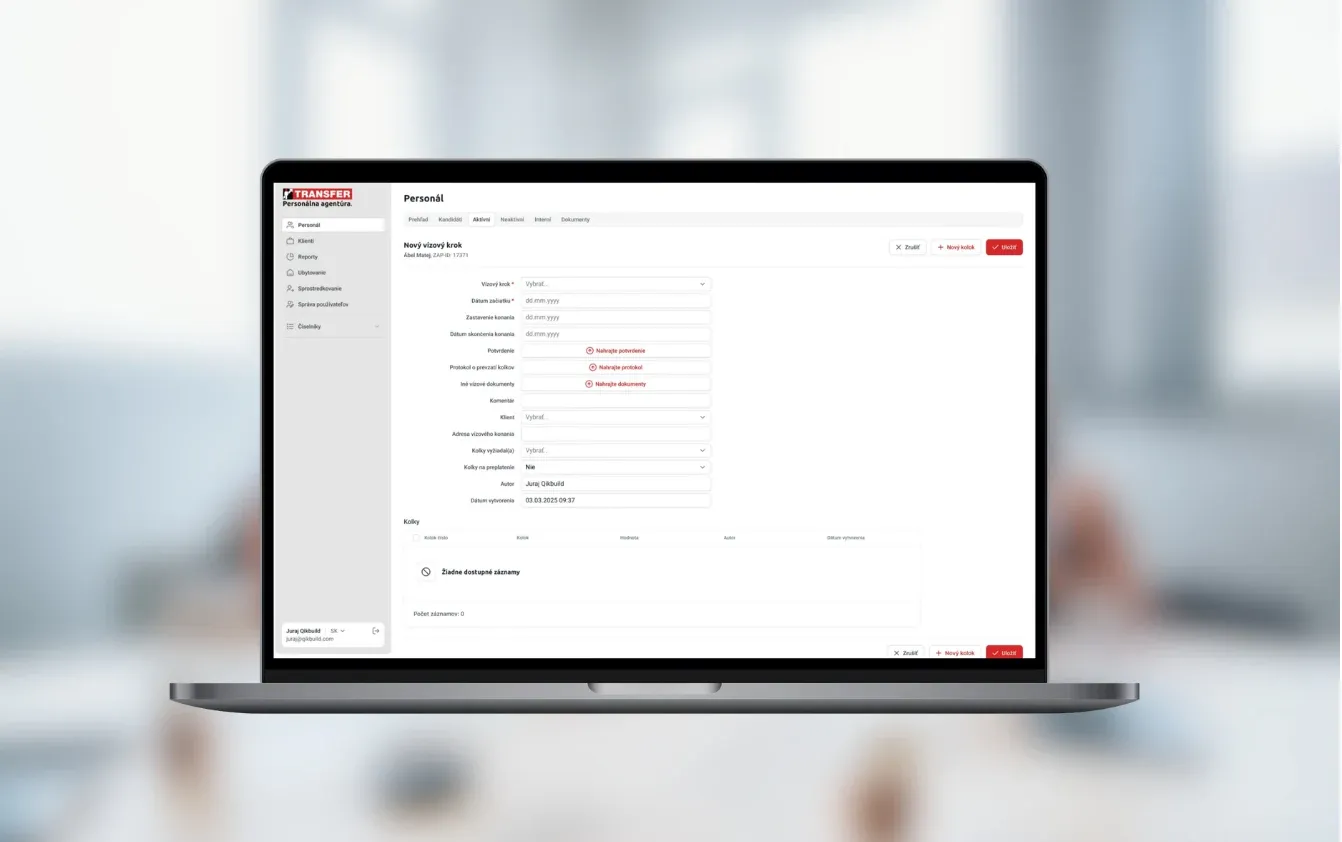
    ZAP 2.0 for Transfer International connects candidates, clients, employment assignments, documents and branch reporting. For your project, we choose a narrower first journey and verify that the team can complete it in one system.

  • 1

    Start with one process that hurts.

    A first version that fully replaces one spreadsheet is worth more than a half-built system for the whole company. Pick the process with the most hand-offs or the most chasing, launch it, and let the team ask for the next one.

  • Start from the spreadsheet, not a blank page.

    The spreadsheet your team uses today holds years of small decisions: the extra columns, the colour codes, the note in cell H4. We go through it closely in the workshop. Tools that ignore it get resisted. Tools that start from it get used.

  • Every status needs an owner.

    Most internal tools fail quietly: they work, but nobody updates them, and the spreadsheet comes back. Each status needs one person responsible for moving it on, and reminders go to that person, not to a group channel.

  • Not every step is worth automating.

    If something happens twice a month and takes five minutes, a checklist is fine. Automate what happens daily, what breaks when it’s typed twice, and what people wait on. The rest can stay manual until it starts to hurt.

What we can build.

  • Records and processes

    • Shared records for customers, projects, employees, orders or assets
    • Statuses and steps that match how your team works
    • Request forms with checks, so nothing arrives half filled in
    • Roles and permissions down to single fields, such as salaries
  • Approvals and automation

    • Approval routes by amount, department or request type
    • Reminders and escalation when something waits too long
    • Scheduled jobs such as recurring tasks, renewals and weekly reports
    • AI steps for messy inputs, such as turning an email into a request
  • Integrations

    • CRM such as HubSpot, Pipedrive or Salesforce
    • Accounting, ERP and HR systems through their APIs
    • Microsoft 365 or Google Workspace logins, email and calendars
    • Notifications in Slack or Teams, by email or by SMS
  • Reporting and control

    • Dashboards for teams and management
    • A view of what’s waiting, and on whom
    • Excel exports and reports emailed on a schedule
    • A history of who changed what, and when

Spreadsheets, an off-the-shelf tool or a custom system?

For many teams the honest answer is a spreadsheet or a ready-made tool. This is where each one stops working.

Spreadsheets and emailOff-the-shelf work toolCustom internal tool
Ready to use Today In days In 6+ weeks
Upfront cost None Low Fixed build price
Follows your exact process Partly Partly Yes
One shared, up-to-date record No Yes Yes
Connected to your other systems No Partly Yes
Approvals with a history No Partly Yes
Cost as the team grows Low Depends on licensing Depends on operations and support
If a ready-made tool fits your process with small compromises, use it. Custom makes sense when the process is what makes you different, or when a paid tool still needs a spreadsheet next to it.

How the first version comes together.

A typical timeline. We confirm yours after the project workshop.

  1. Week 1

    Workshop with the people doing the work

    We sit with the team that runs the process, go through its spreadsheets and emails, and agree what the first version covers. You get a fixed price before the build starts.

  2. Weeks 2–5

    Build in two-week stages

    Records, statuses, approvals and the first integration. A working demo every week, tried by the people who’ll use it.

  3. Week 6

    Move the team over

    We import the spreadsheet data, run old and new side by side for a short time, then retire the spreadsheet.

  4. Then

    Add the next process

    Reports, more integrations or the next team. You own the code and accounts, and bug fixes are free for 3 months.

A first version usually takes 6 weeks to 3 months, depending on the number of processes and systems involved.

Case studies.

Systems we’ve built that are close to this one.

  • Transfer International

    HR & Recruitment · Slovakia

    Candidate and employee management

    Workforce platform for temporary staffing, recruitment, compliance checks, and payroll administration

    Read the case study
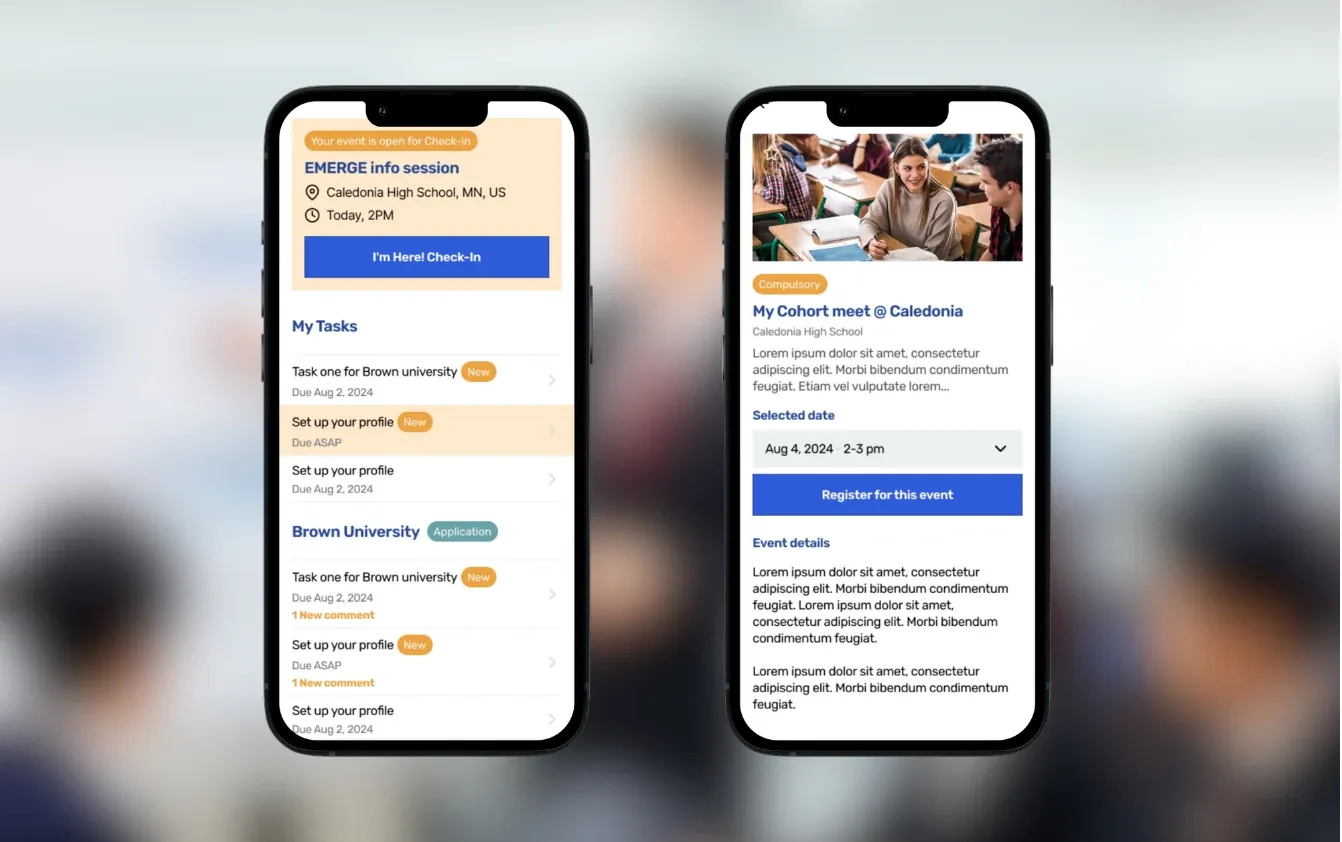
  • Emerge Scholars

    Education · Houston, TX

    One platform to replace older student systems

    College-access platform for recruitment, scholar success, and alumni tracking

    Read the case study
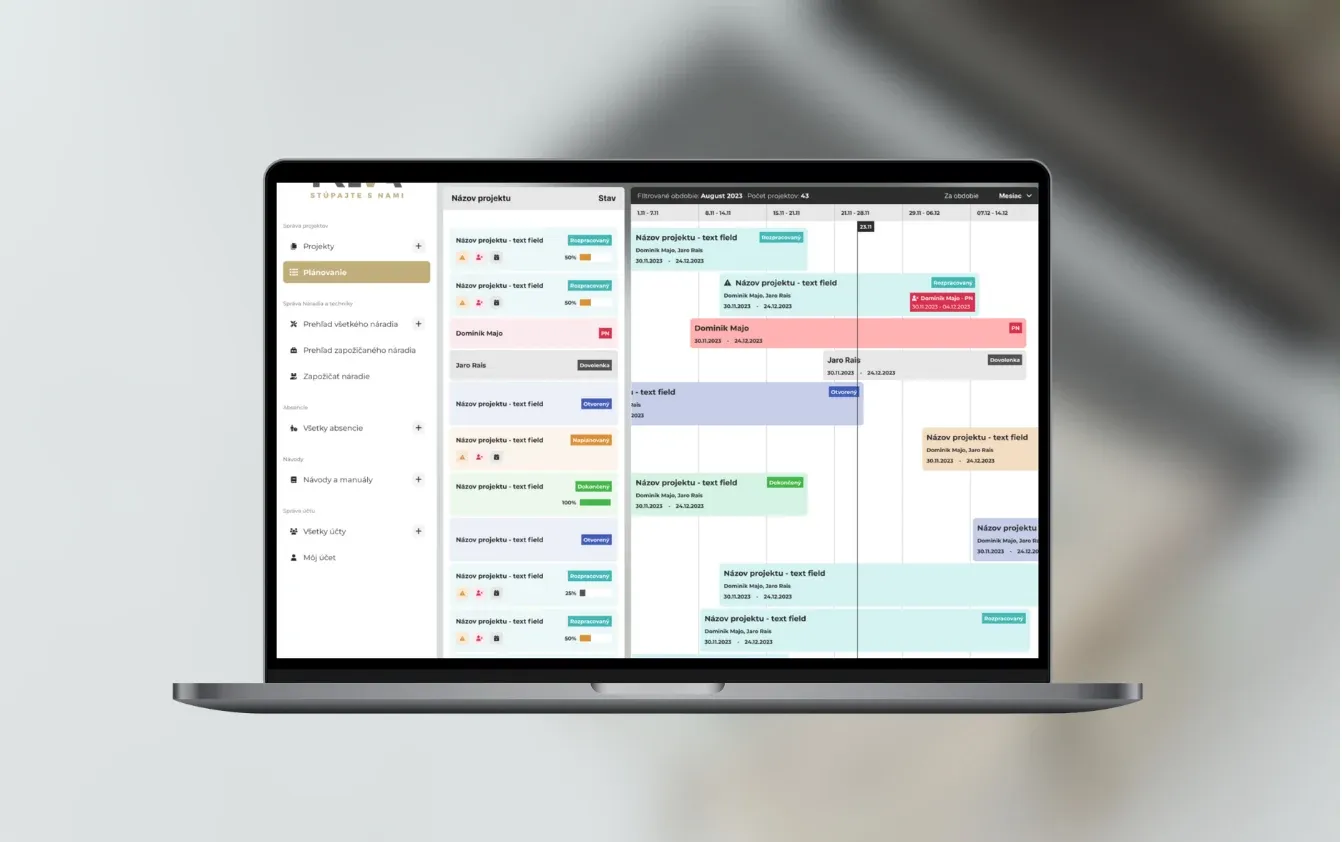
  • Treva

    Construction · Bratislava, Slovakia

    Managing construction projects

    A construction project platform combining progress dashboards, assigned tasks, documents and team collaboration.

    Read the case study

Questions people ask.

Do we have to replace the tools we already use?

No. Most internal tools sit next to your CRM, accounting and email and connect to them. We replace a tool only when it’s the cause of the problem, and then we move its data over.

What does an internal tool cost?

A simple tool for one process, connected to one or two systems, typically costs €5–10k. A connected system with 10+ features and several integrations is usually €10–30k. You get a fixed price after the project workshop, before any build starts.

How fast can we get a usable first version?

Usually within 6 weeks to 3 months. You see a working demo every week, and the first process can go live before the rest is built.

Will our team actually use it?

That’s the main risk, so we plan for it from the start. The people who run the process join the workshop and try the demo every week. The tool starts from their spreadsheet, and the first screen shows what each person needs to do today.

Is this only for larger companies?

No. Smaller teams often feel the problem most, because one person’s spreadsheet runs a process the whole company depends on. A first version can cover just that process.

Can you add AI to an internal tool?

Yes, where it saves real time: reading incoming emails or PDFs into a form, drafting replies, or summarising a case for the person approving it. If a simple rule does the job, we use the rule, because it’s cheaper and easier to check.

How do you handle access rights and security?

Each person sees only what their role allows, down to single fields such as salaries. Logins can use your Microsoft or Google accounts with two-factor authentication, and every change is recorded with who made it.

Who owns the code, and who maintains it?

You own the code, repositories and accounts from launch. Bug fixes are free for the first 3 months. After that you can choose monthly support or hand it to your own developers.

What should the first-version proposal include?

The agreed workflow, roles, records, integrations, import scope and acceptance scenarios. We separate development from external licenses, hosting and operational support. If an interface is unverified, we first propose checking its capabilities.

How do we know we can retire the spreadsheet?

In the pilot, complete a normal case and an exception from start to finish. Check permissions, reporting and handover to the next person. Then agree the final entry in the old records and the team switch.

Which spreadsheet is running your business?

Show us the spreadsheet or email thread your team depends on. We’ll tell you what a first version would cover and roughly what it would cost.

JurajCEO, QikBuild

You leave the call with

  • What we would build first
  • A rough price range
  • Whether custom software makes sense for you
Book a 30-minute call

Or write to hello@qikbuild.com